 Nostalgia Camera
Nostalgia Camera · 2004 CCD field guide
See the 2004 CCD digicam look on a real photo.
The same picture before and after, a free way to shoot it on iPhone, and six frames to try on your next walk.
I made Nostalgia Camera, so this is a guide to my app. Its 2004 CCD era is free for new camera shots. Choose that era in the live camera preview, frame your subject, and shoot; no account or Pro purchase is needed for that path.
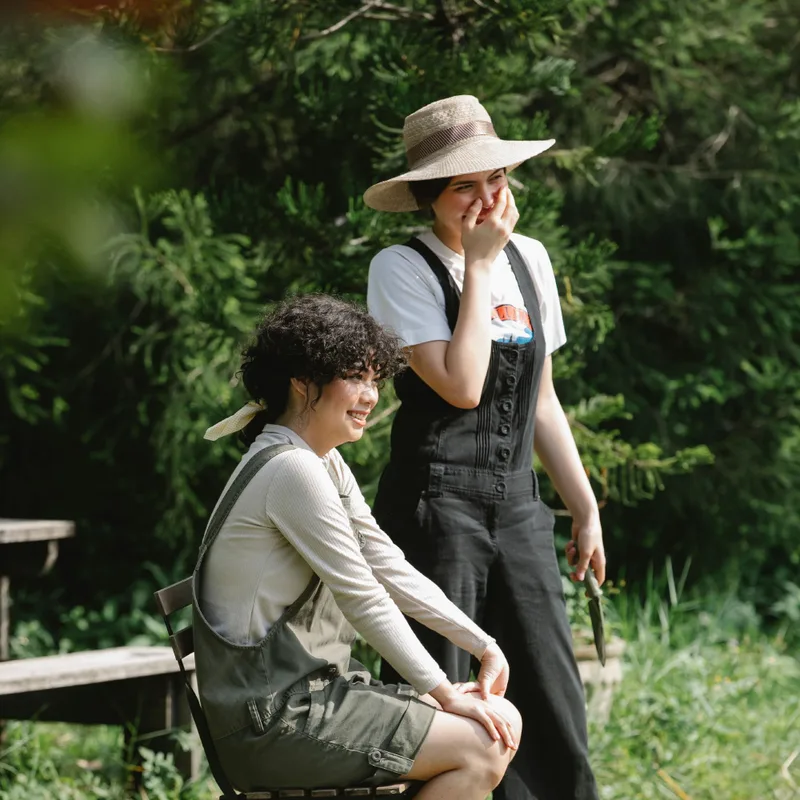
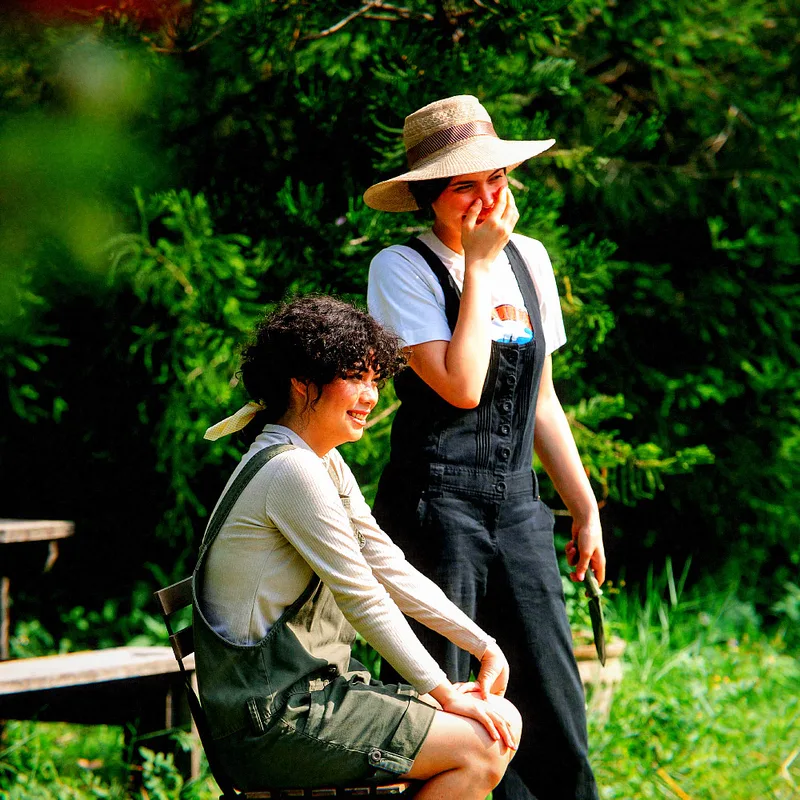
The contemporary source photo is by Gary Barnes / Pexels, used under the Pexels License. The processed file came from Nostalgia Camera’s production photo engine with the same crop, without an extra web filter or generative edit. This is a prepared sample, not an in-app camera capture or a photo taken in 2004. See the source and render record.
Look at the colored clothing and the background: the 2004 version gives them a different digital-camera character, including cooler color and more pronounced contrast. It is a software interpretation, not a claim that your iPhone contains an old CCD sensor. Light and the app’s per-shot variation can change your result.
Compare the original with 1895, 1972 and 2004 ↗ The existing demo uses saved photos and lets you save a shareable result card; it does not accept your own photo.
Take your own 2004-style shot
- Open Nostalgia Camera on iPhone and allow camera access when iOS asks.
- Choose 2004 CCD in the era selector. Start with the included Digital Cyan color profile.
- Watch the live preview, then take two frames: one with the setting around your subject and one closer in.
- Review both in the app’s local photo roll. Keep the frame whose expression and details you prefer.
Already have a photo? Importing an existing picture for reprocessing requires Pro. The free 2004 era applies to new shots taken in the app; the website’s prepared before-and-after does not offer photo import.
A six-frame CCD photo walk
| Frame | What to look for |
|---|---|
| 01 · A small object | A cup, keyring or familiar item with a simple background. |
| 02 · A color pair | Two colors together: a door and a wall, or a bag and a chair. |
| 03 · A window | Light across a table or floor. Watch the bright areas in the preview. |
| 04 · A wider scene | One clear subject and enough surrounding detail to tell you where you are. |
| 05 · A familiar detail | A handwritten note, a shelf or a texture you usually walk past. |
| 06 · The way home | A final frame that gives the set an ending. |
Choose a small set
Try moving closer or simplifying the background before changing the effect. Review the shots in your local roll, then choose a wide scene, a detail and an ending that work together. Ask before publishing someone’s recognizable portrait.
For a warm monochrome result, see the free 1895 Glass Plate guide. The demo also shows the 1972 Instant Warm look, which requires Pro. Those are distinct software looks; compare the same source picture before deciding which mood you want.